

Add Your Domain
How to add your own root domain to the free mail forwarding service.
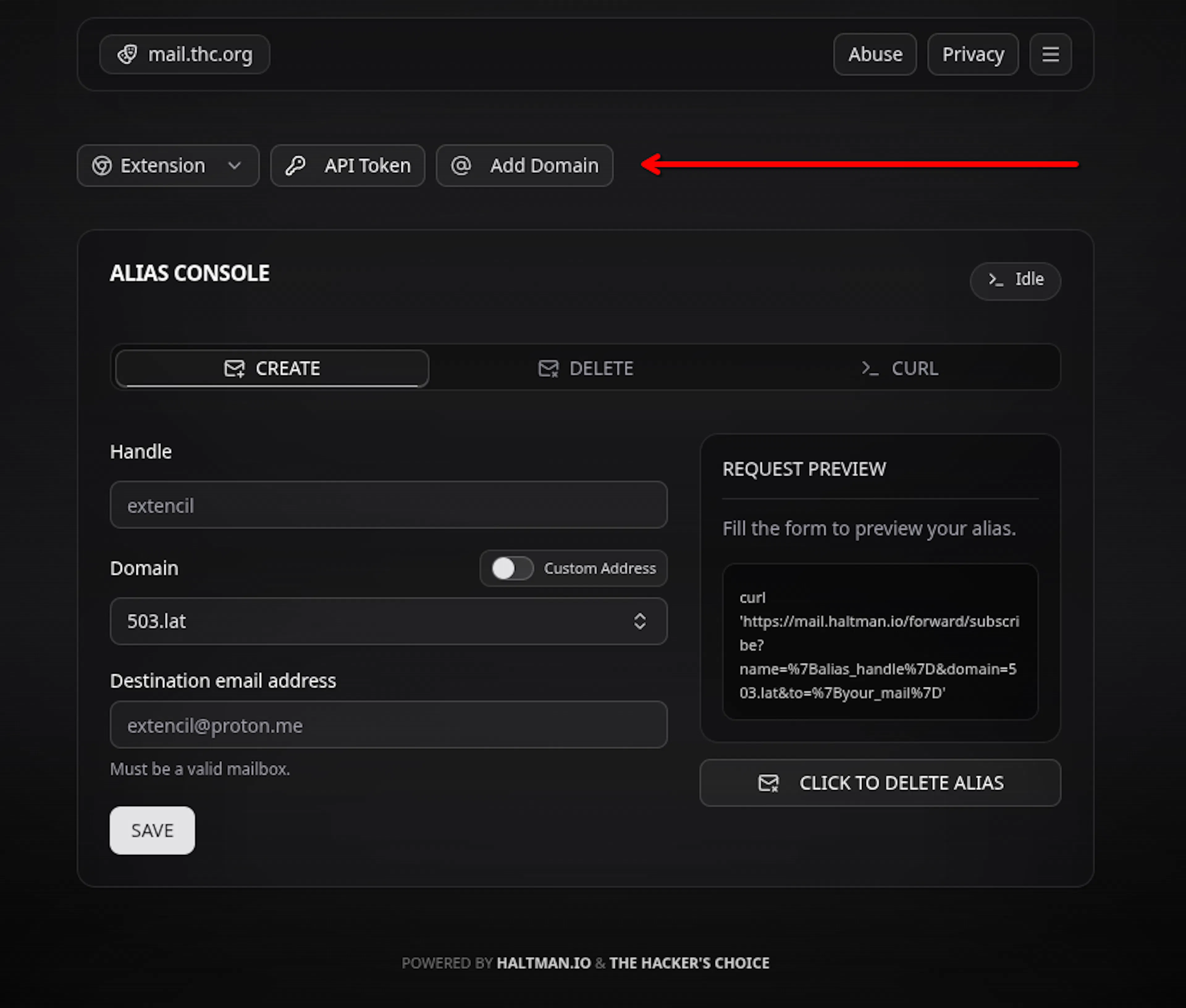
Find the interactive menu on homepage:
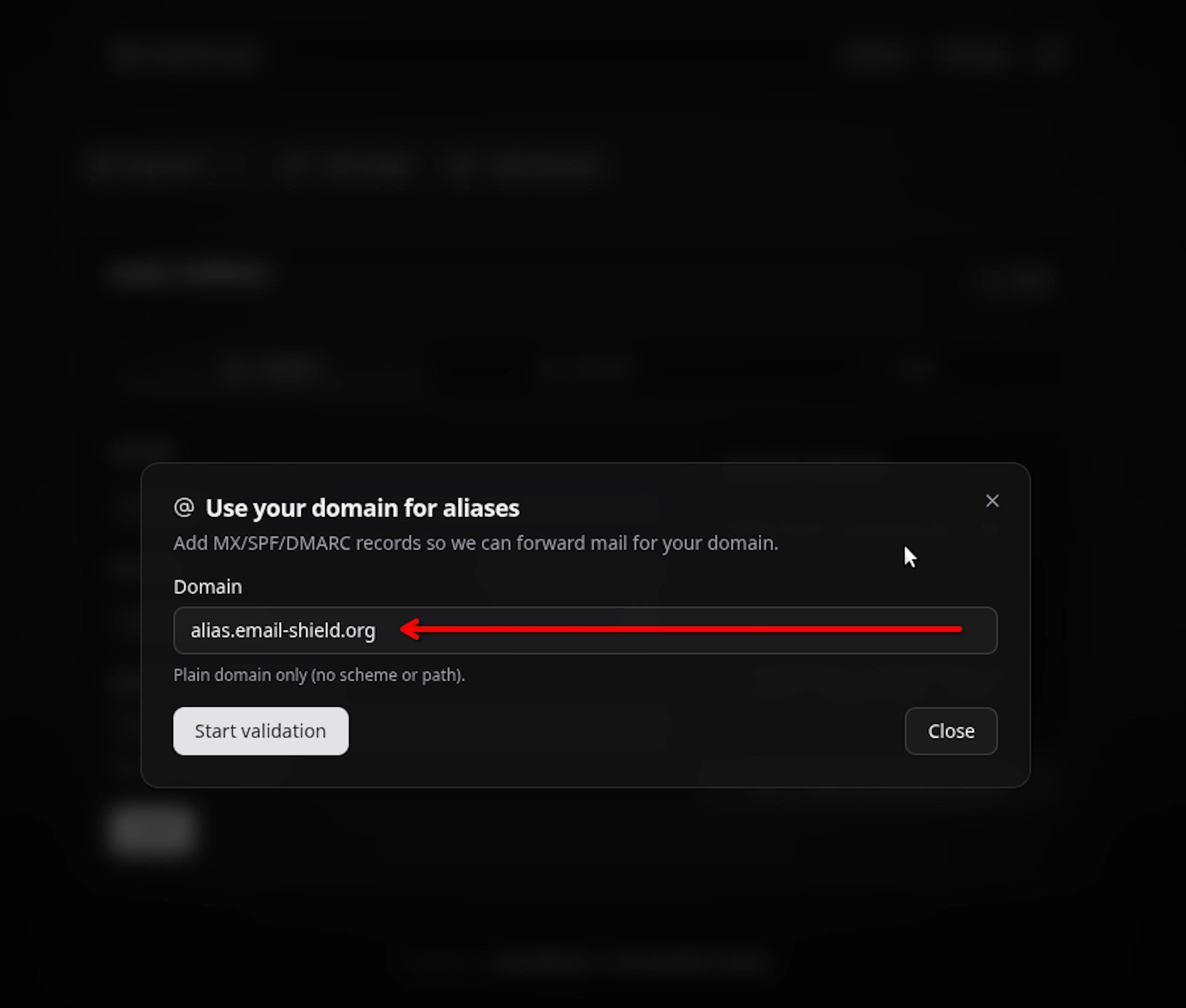
Type your own FQDN:
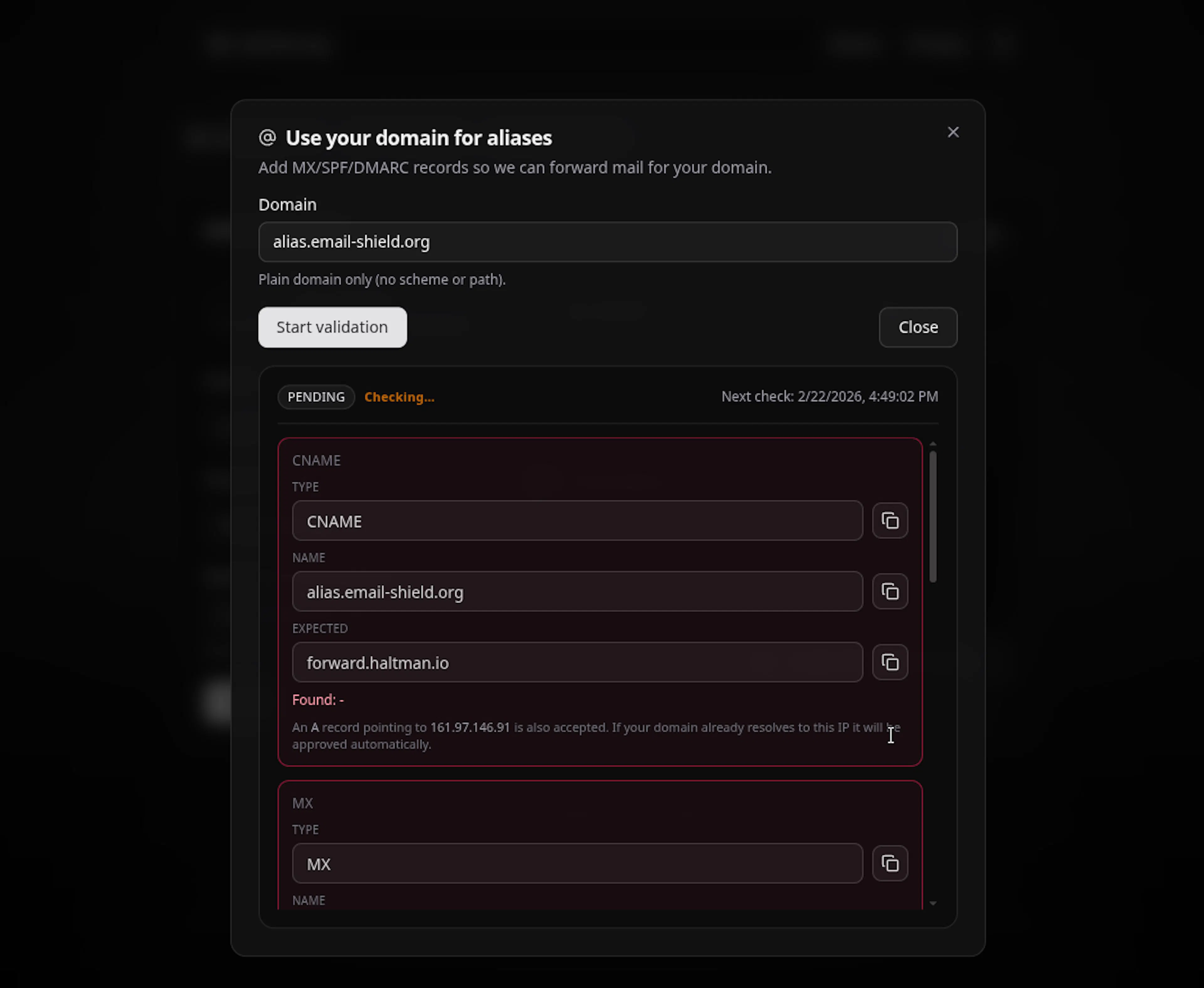
It will show you required DNS entries & start automatic polling every X seconds to identity any DNS updates:
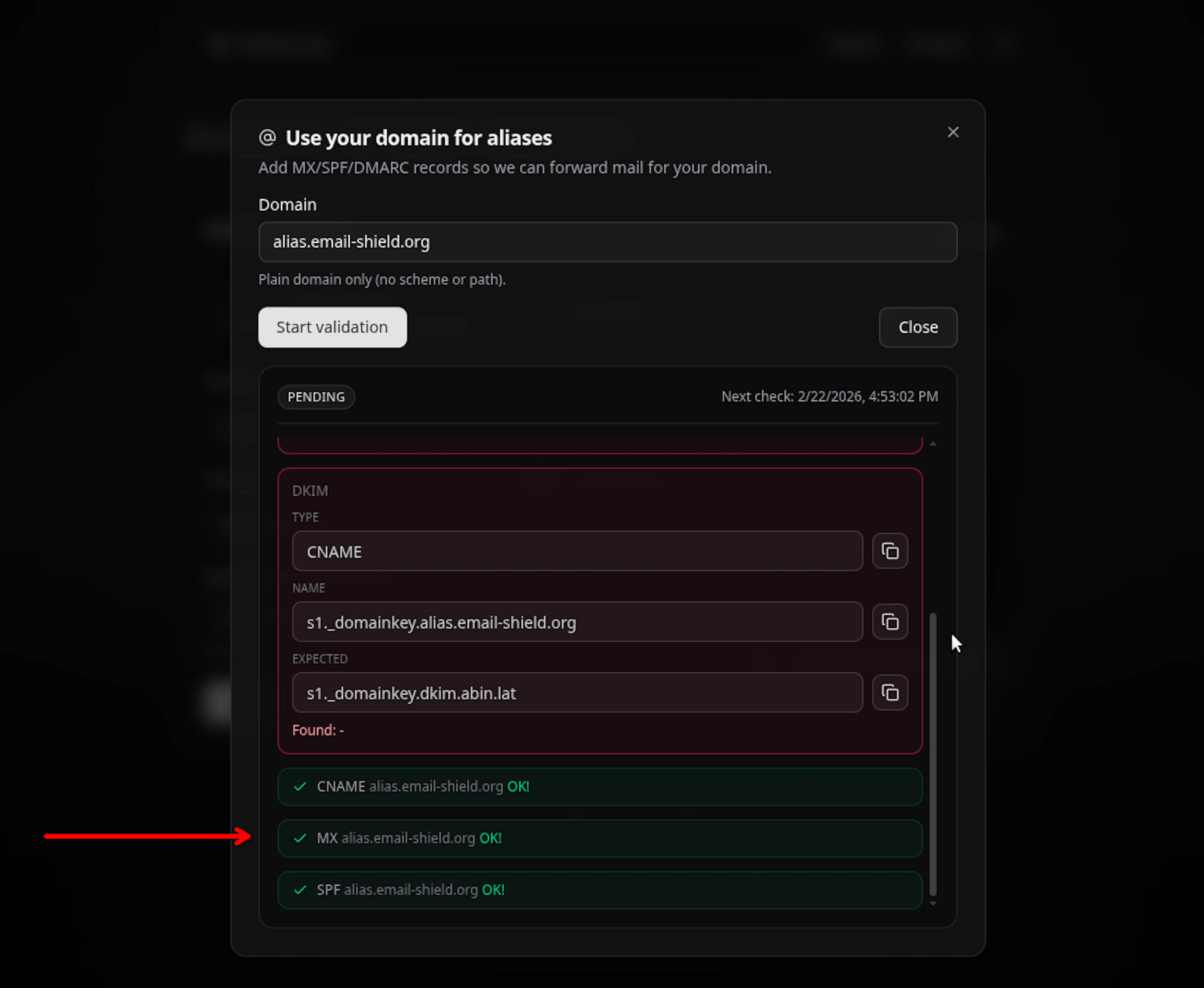
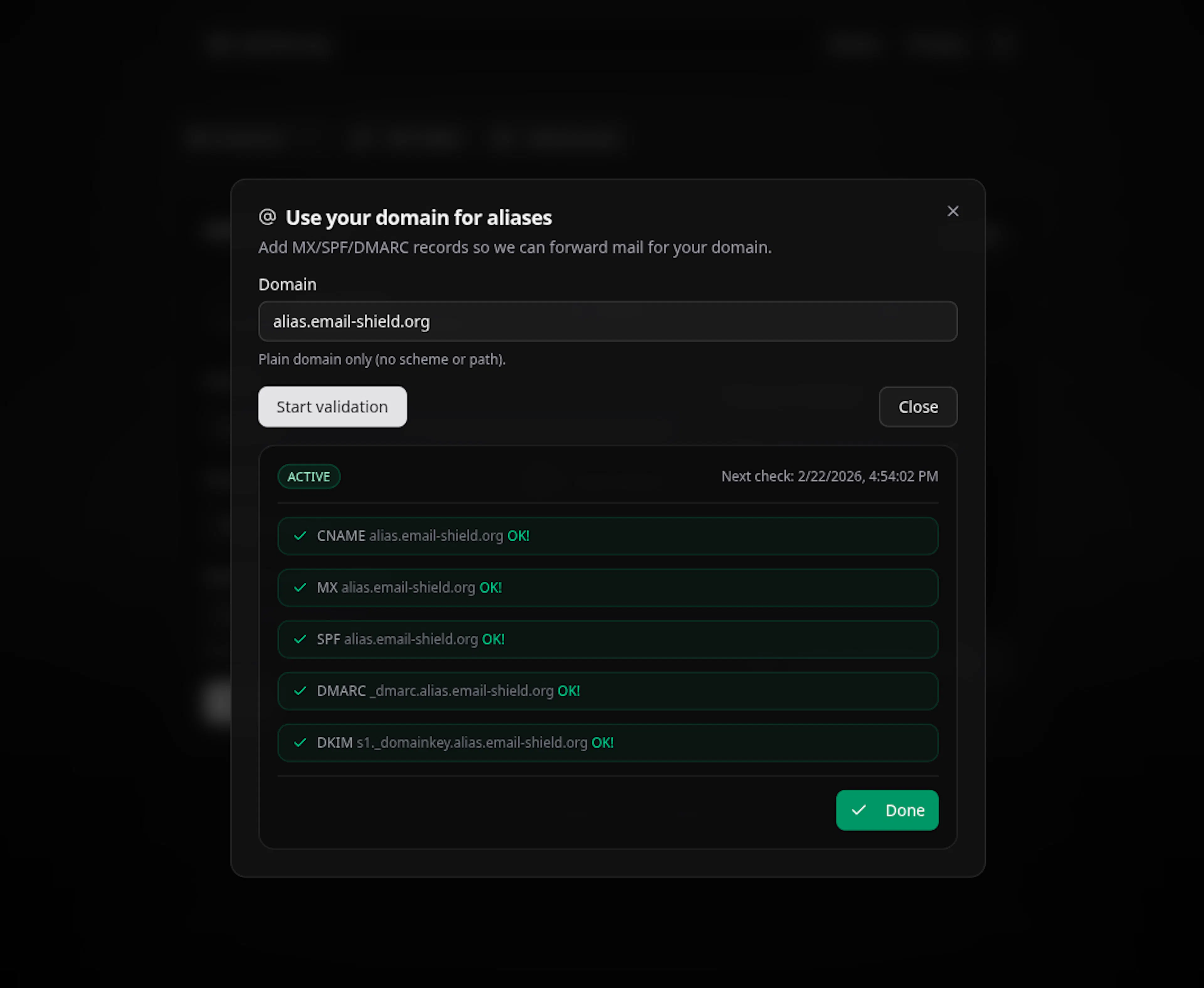
System will show the validated DNS entries:
When all DNS entries got validated, it will be displayed as ACTIVE:
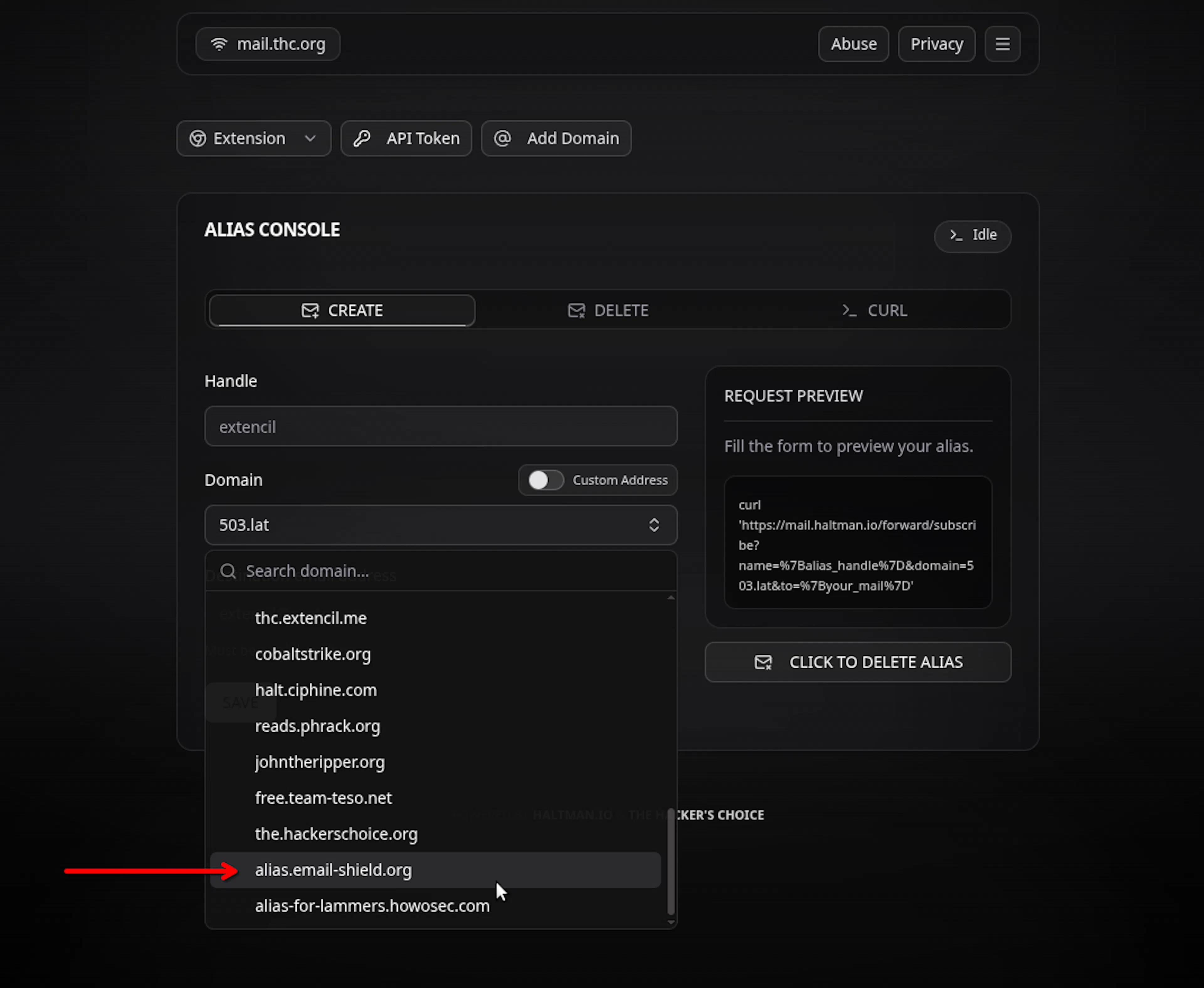
Just reload the page and you will find your domain listed under domains menu:
Was this page helpful?